
Appcompanist: Vocal Training
Appcompanist, LLCMusic & Audio
4.440.00 Reviews
- Version
- 2.1.47
- Installs
- 10.00K
- Age Rating
- Everyone
Screenshots
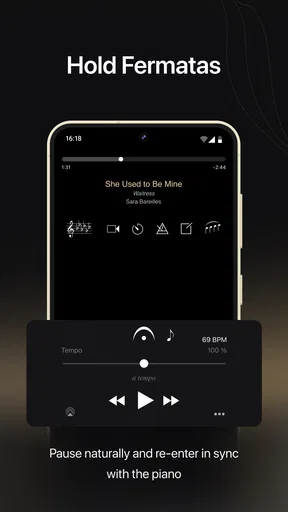
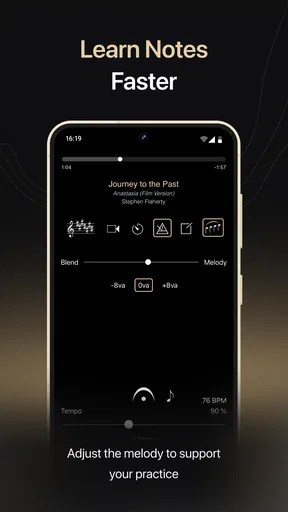
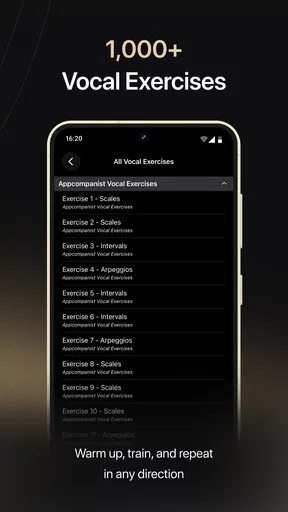
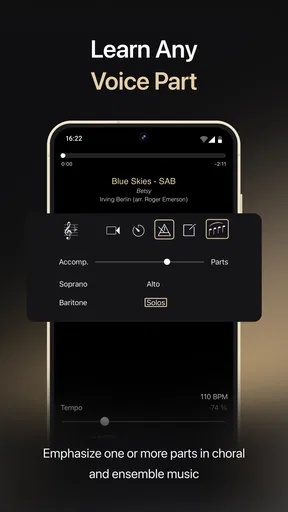
Our Review of Appcompanist: Vocal Training
 Analysis by Appyee
I like accompaniment apps most when they help me work on the music rather than make me manage a complicated setup. Appcompanist is aimed squarely at that job: it gives singers and instrumentalists recorded backing they can shape to suit a piece and a practice session. I see its strongest appeal in the control it offers over accompaniment, not simply in having music available on a phone. That makes it worth considering if you regularly rehearse without a pianist, though it is less compelling if you only want casual background tracks.
Where this kind of accompaniment earns its place
A recording is not a substitute for a responsive musician, but it can make solo practice more purposeful. With a backing track, I can rehearse entrances, keep a piece moving, and listen for how my part sits against the accompaniment. The ability to adjust tempo and key is especially useful: instead of forcing a difficult passage at performance speed, I can slow the work down, then move toward a more comfortable pace as I improve. Changing the key can also help a vocalist test where a song feels natural before settling on a version to practise.
That flexibility is the main reason I would choose this over a basic music player loaded with ordinary recordings. A finished song is designed to be listened to; an accompaniment is meant to leave room for the person playing or singing. If I am preparing a vocal line, that distinction matters. I can focus on phrasing and pitch without trying to sing over another lead vocal, and an instrumentalist can use the backing to practise their own part in context.
A practical routine for practice and lessons
For a useful everyday routine, I would choose one piece, find its accompaniment, and begin at a tempo that lets me play cleanly. After a few steady attempts, I would raise the pace gradually and use the track to check whether I can keep time through transitions, not just through the easiest measures. The point is not to race to the original tempo; it is to build a reliable performance without letting the recording conceal weak spots. A backing track can keep going when I lose my place, so I still need to stop and identify what went wrong rather than simply restart and hope it fixes itself.
For a singer, a practical session might mean warming up with a familiar selection, rehearsing a new song at a slower pace, and then trying a different key if the original feels uncomfortable. A teacher could use a track between lessons so a student has a consistent musical reference at home. For an instrumentalist, the same approach works when practising intonation, entrances, or maintaining tempo through longer phrases. These are focused uses, rather than promises that an app can replace feedback from a teacher or the give-and-take of playing with another person.
Playlists can also help turn a loose collection of pieces into a routine. I would group tracks by lesson, recital preparation, or the repertoire I am currently learning, rather than make one long list of everything I might play. That small bit of organisation saves decision-making time when I have only a short practice window. It also helps keep performance material distinct from warm-ups, which can make a session feel more deliberate.
Using Appcompanist in context
I find it useful to judge an accompaniment app by how well it fits into an actual practice routine, not just by the controls it offers. In this section, I’ll consider how I would approach choosing and preparing material, so the next part can focus on what the app’s tools contribute once rehearsal begins.
Getting Started with Appcompanist
First things first, downloading Appcompanist is a breeze. It's available for both Android and iOS, so whether you’re team Apple or Android, you’re covered. Once you’ve got it on your device, the setup is straightforward. You’ll need to create an account, which is a quick process and doesn’t require any unnecessary details.
Interface and Usability
The interface is clean and intuitive. The developers did a great job making sure it’s user-friendly. You don’t have to be a tech genius to navigate through the app. Everything is neatly organized, and finding what you need is as easy as pie. The home screen gives you quick access to your favorite tracks, and you can easily search for new ones.
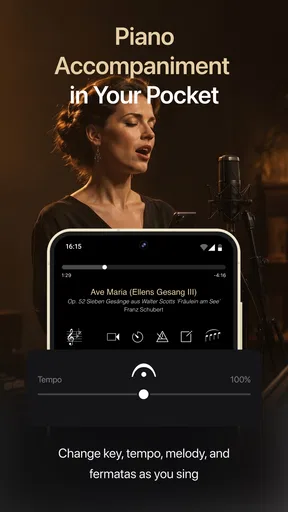
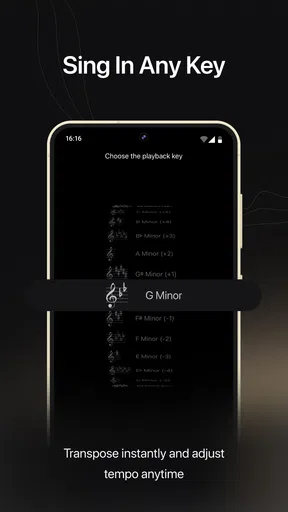
One of the coolest features is the ability to adjust the tempo and key of the accompaniment. It’s like having a live accompanist who can adapt to your needs. Whether you’re practicing a challenging piece or just want to sing along to your favorite song, this feature is incredibly handy.
Library and Features
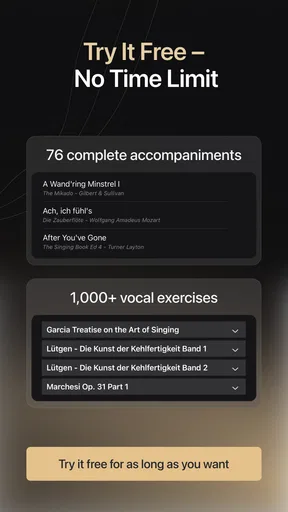
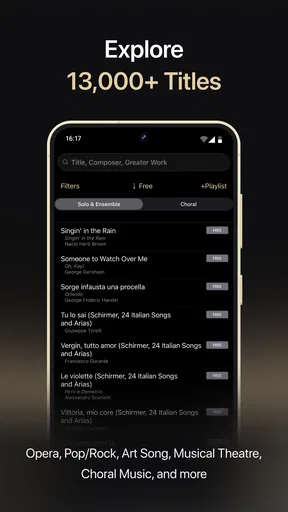
The library is vast and diverse, offering thousands of tracks across various genres. Whether you’re into classical, jazz, or pop, there’s something for everyone. You can also filter by instrument, composer, and more, making it super easy to find exactly what you're looking for.
Another standout feature is the ability to create playlists. You can organize your tracks by performance, practice session, or just for fun. It’s perfect for anyone preparing for a recital or just wanting to keep their practice routine organized.
Performance Quality
I was really impressed with the sound quality. The recordings are professional-grade, and they sound fantastic whether you’re using headphones or your device’s speakers. There’s no lag or distortion, and the app runs smoothly without any hiccups.
Additionally, the app allows for offline access. This means you can download your favorite tracks and practice anywhere, anytime, without worrying about internet connectivity. It’s perfect for those who travel a lot or have an unreliable internet connection.
Making the most of its controls
Tempo and key controls are most valuable when I use them with a plan. If a passage is uneven, slowing the accompaniment can reveal whether I am rushing a transition or struggling with the notes themselves. Once the passage is secure, I can increase the pace in small steps. For singing, trying a song in a different key can help me compare how the range feels, but I would still settle on a choice that suits my voice and the musical context rather than changing keys simply because it is easier at first.
There is a trade-off here: a recording follows its own timing. It will not wait while I breathe, repeat a tricky bar, or stretch a phrase in the way a pianist might. I would therefore use the app for repetition and consistency, then practise with a teacher or another musician when I need flexible cues and live musical conversation. That distinction keeps expectations realistic and helps me choose the right tool for each kind of rehearsal.
What to consider before relying on it
Offline access is valuable when I want to rehearse away from a dependable connection, but it is worth preparing before leaving home: choose the tracks I expect to use and make sure they are available offline. That is a more dependable routine than assuming every item will be ready at the moment I need it. It is also sensible to check that the phone or tablet is charged and that I can hear the accompaniment clearly in the room; a track is only useful if I can follow it while performing.
The app is free to install, but it also offers in-app purchases, with listed items ranging from $9.99 to $299.99. I would treat that as a reason to check what is included before building a routine around a large collection. The range of possible purchase amounts may suit different levels of commitment, but it also means that “free” does not necessarily describe the cost of accessing every piece a musician might want. Someone who only needs occasional backing should think carefully about whether their likely repertoire justifies spending beyond the initial download.
Appcompanist is a music and audio app from Appcompanist, LLC. It has an average rating of 4.4 from 151 ratings, and 10K+ installs. It is rated for Everyone, was released on April 29, 2020, and its current version is 2.1.21; the minimum operating system requirement is 9. Those details make it a fairly established option to investigate, while the rating and install count should be treated as context rather than proof that its library will fit an individual musician’s needs.
Who Is It For?
Whether you’re a seasoned professional, a student, or just someone who loves to sing or play, Appcompanist caters to all skill levels. It’s also a fantastic tool for teachers who want to provide students with high-quality accompaniment tracks for practice and performance.
For vocalists, it’s a dream come true. You can focus on your singing without worrying about finding or coordinating with an accompanist. Instrumentalists can also benefit greatly, as the app provides a rich variety of accompaniments that can enhance practice sessions.
Who may be better served elsewhere
I would recommend it most to people who practise repertoire that suits recorded accompaniment and who will make regular use of tempo or key adjustments. A student working on songs between lessons, a singer preparing for a recital, or a player who needs steady backing for repeated run-throughs is likely to get more from it than someone who opens a music app only now and then.
It is not my first choice for casual listening, where a standard streaming or music-player app is simpler and built around complete recordings. Nor would I rely on it alone for ensemble rehearsal, improvisation, or pieces that need a pianist to follow expressive changes in real time. If the repertoire I need is not available, the app’s controls cannot solve that problem; checking for the specific pieces that matter to me before investing in purchases is a sensible first step.
For a quick decision, I would ask myself three things: do I need an accompaniment rather than a finished recording, will I use the key and tempo controls often, and does the available repertoire cover my actual practice? A yes to those questions points toward a strong fit. If I mainly need a flexible partner who can pause, repeat a bar on cue, or react to phrasing, a human accompanist remains the better option.
Final Thoughts
Overall, Appcompanist is a fantastic tool for musicians of all kinds. Its user-friendly interface, extensive library, and high-quality tracks make it a must-have app for anyone in need of accompaniment on the go. Whether you’re practicing or performing, this app has got your back.
If you're looking for a reliable, versatile, and high-quality accompaniment app, give Appcompanist a try. It’s like having an entire orchestra at your fingertips, ready to accompany you wherever and whenever you need. I’m genuinely impressed and think you will be too!
My recommendation is more specific than that broad praise: I would try it if recorded accompaniment is already part of how I practise, and I would first check that the pieces I need are a good match. Its best qualities are practical—adjustable tempo and key, a library designed for accompaniment, playlists, and offline use—rather than a promise to replace live musicians. For a committed singer or instrumentalist, that can make solo practice more structured and productive. For an occasional user, or anyone whose music depends on spontaneous interaction, the purchase options and fixed nature of recordings may make a simpler alternative or a real accompanist the better choice.
Verdict
Strengths of Appcompanist: Vocal Training
- User-friendly interface and navigation.
- Extensive library of accompaniments.
- High-quality audio tracks.
- Customizable tempo and pitch.
- Offline access available.
Limitations of Appcompanist: Vocal Training
- Limited free version features.
- No sheet music integration.
- Requires stable internet for updates.
- Subscription model can be costly.
- Occasional app performance lags.
Similar Picks in This Category
View All
YouTube Music
Google LLC4.4

Samsung Music
Samsung Electronics Co., Ltd.3.8

Spotify: Music and Podcasts
Spotify AB4.3

JioSaavn - Music & Podcasts
Saavn Media Limited4.3

Lark Player:Music Player & MP3
Lark Player Studio - Music, MP3 & Video Player4.6

StarMaker: Sing Karaoke Songs
SKYWORK AI PTE. LTD.4.3
Frequently Asked Questions
What is Appcompanist and how does it work?
Appcompanist is a versatile music app designed for singers, voice teachers, and choral directors. It provides high-quality piano accompaniments for a wide variety of songs and arias. Users can adjust the tempo and key to suit their needs, making it a valuable tool for rehearsals and performances. The app is user-friendly, allowing easy navigation and customization.
Is Appcompanist available on both Android and iOS platforms?
Yes, Appcompanist is available for download on both Android and iOS platforms. Users can find it on the Google Play Store for Android devices and the Apple App Store for iOS devices. This cross-platform availability ensures that users can access their music library on any device, making it convenient for those who switch between different operating systems.
Does Appcompanist offer a free trial or require a subscription?
Appcompanist offers a free trial period for new users to explore its features before committing to a subscription. After the trial period, users can choose from various subscription plans to continue accessing the full library of accompaniments and customization options. This flexibility allows users to evaluate the app's value before making a financial commitment.
Can I use Appcompanist offline, or do I need an internet connection?
Appcompanist can be used offline once the desired tracks are downloaded to your device. This feature is particularly beneficial for performers and teachers who may rehearse in locations without reliable internet access. However, an internet connection is initially required to download the app and individual accompaniments.
What kind of music and accompaniments are available on Appcompanist?
Appcompanist boasts a comprehensive library featuring thousands of accompaniments covering various genres, including classical, musical theater, opera, and more. The app frequently updates its library, ensuring that users have access to new and popular pieces. This extensive selection caters to a wide range of musical preferences and performance needs.
